
How to Generate Real Estate Comp Reports in 60 Seconds
Learn how to generate real estate comp reports step by step, choose the right comps, apply adjustments, and get offer-ready numbers fast. Start now.

Knowing how to generate real estate comp reports is the skill that separates confident offers from guesses. A comp report is a document that lists recently sold, similar properties and adjusts their prices to estimate a subject property's value. This guide shows the process, the data to use, and how to get it done in about a minute.
Quick answer: Enter the address, pull recent sold comps, adjust for differences, calculate ARV and as-is value, estimate repairs, then set your offer. Software such as ChatARV automates every step from a single address.
What Is a Real Estate Comp Report?
A real estate comp report is a summary of comparable sales used to support a property's value. It shows the comps, the adjustments applied, and the resulting value range. For investors, it also feeds the offer price.
The idea comes from standard appraisal practice. You can read the background on comparable sales to see how the method works.
An investor reviews a comp report before making an offer.
Why Comp Reports Matter for Wholesalers and Investors
Speed wins contracts. However, a fast number only helps if it is defensible. Weak comps lead to overpaying, which kills margin, or lowballing, which loses the deal.
A clear report also helps you explain your price. Sellers, cash buyers, and partners can see exactly why the number is what it is.
How to Generate Real Estate Comp Reports Step by Step
Follow this process whether you work manually or use software.
- Enter the property address. Confirm bedrooms, bathrooms, square footage, and lot size.
- Pull recent sold comps. Favor sales from the last six months, close by, with a similar style and size.
- Adjust for differences. Correct each sale price for square footage, bed and bath count, lot size, and condition.
- Calculate ARV and as-is value. Combine the adjusted comps into a value range.
- Estimate repairs and set the offer. Apply your formula or MAO settings for your exit strategy.
- Share the report. Send it to sellers, buyers, or partners.
Choosing the Right Comparable Sales
Good comps decide the quality of the whole report. Therefore, spend your effort here.
| Factor | What to look for |
|---|---|
| Proximity | Same neighborhood or subdivision when possible |
| Recency | Sold in roughly the last three to six months |
| Size and layout | Similar square footage, beds, and baths |
| Condition | Renovated comps for ARV, distressed for as-is |
Calculating ARV, As-Is Value, and Your Offer
After Repair Value (ARV) is the expected value once renovations are done. As-is value is the worth in current condition. Both matter, because different exit strategies lean on different numbers. For more on the second one, see this guide to as-is comp reports.
For wholesaling, a common approach is a Maximum Allowable Offer (MAO). It starts from ARV, subtracts repairs, and then subtracts your assignment fee and buyer margin. Your own formula may differ by market.
Generating Comp Reports Faster With Software
Manual comping often takes 20 to 30 minutes per property. In contrast, chatarv.ai is an AI deal-analysis platform that returns a report in about 60 seconds. It reviews hundreds of properties, surfaces the top six matches, and applies adjustments automatically.
Reports show the ARV range, the comps used, and every adjustment. They also break down offers for wholesale, novation, fix-and-flip, buy-and-hold, and BRRRR. You can toggle comps, swap them, or add your own. For a deeper look, read about this comp report generator.
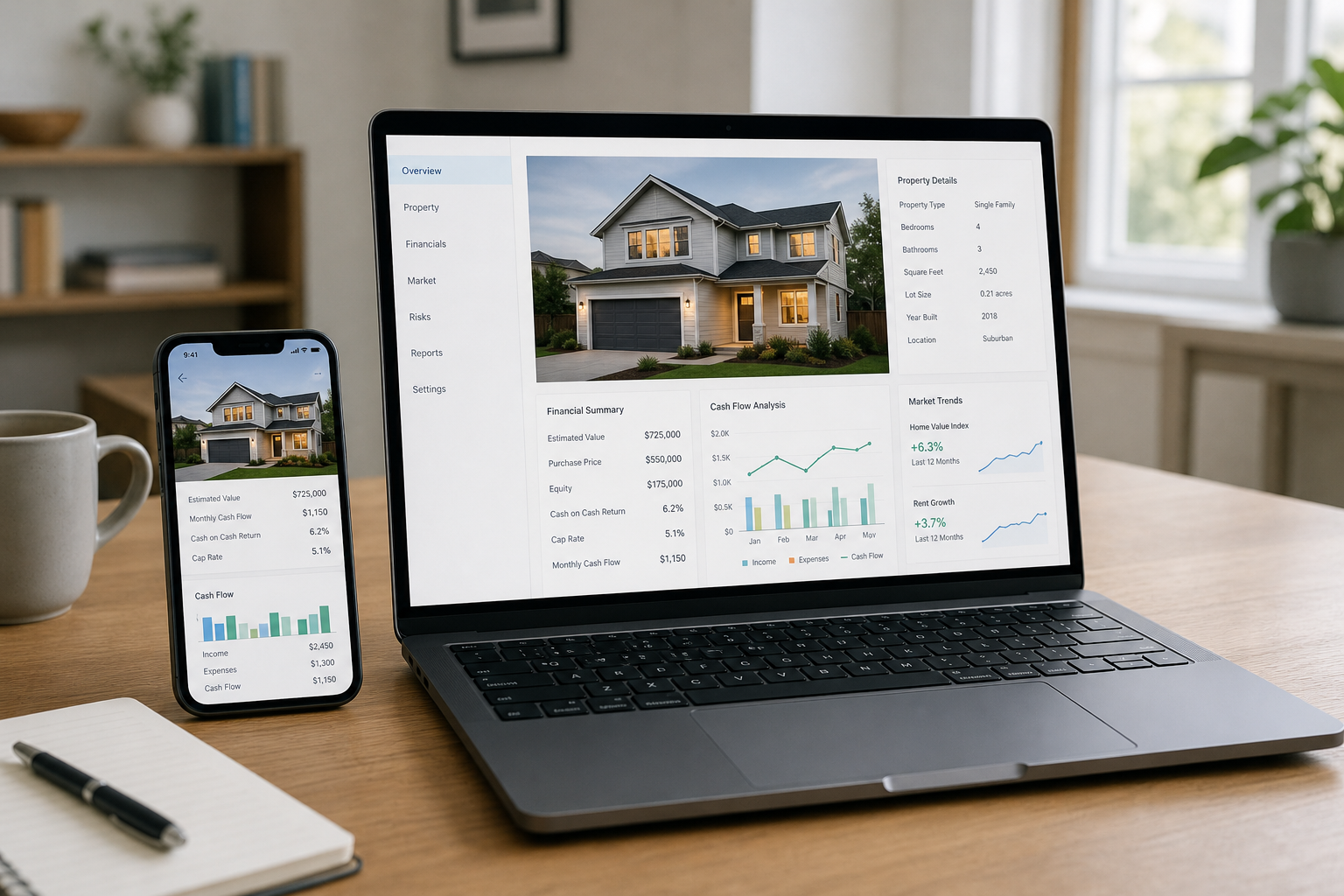
Software can turn an address into an offer-ready report in about a minute.
Running Comps Without MLS Access or in Non-Disclosure States
You do not need your own Multiple Listing Service login. Some platforms supply MLS-sourced transaction data across several providers. See how in this guide on running comps without MLS access.
Non-disclosure states are harder, since sale prices are not public. ChatARV supports all 12 of them, so you are not forced to guess.
Updating the Report After a Walkthrough
Deals change once you see the inside. If repairs run higher, update the scope and recalculate. One user, Chris Turney, found a property needed a full gut, recalculated to $88k, and used the new analysis to renegotiate a $35,000 assignment fee.
Common Mistakes to Avoid
- Using sales older than six months in a fast-moving market.
- Mixing property types, such as condos with single-family homes.
- Ignoring condition when picking ARV comps.
- Skipping adjustments for size and lot.
- Failing to document comps, which weakens your negotiation.
Finally, compare your tool choices. This overview of software wholesalers use to analyze deals can help.
Frequently Asked Questions
What is a real estate comp report?
A comp report lists recently sold properties similar to a subject property, along with adjustments, to estimate its market value. Investors use it to support ARV and offer numbers.
How do I generate real estate comp reports quickly?
Use software that finds comps, applies adjustments, and calculates ARV automatically. Tools like ChatARV can do this from an address in about 60 seconds.
How many comps should a report include?
Three to six strong comps is a common range. Quality matters more than quantity.
How recent should comps be?
Prefer sales from the last three to six months. Older sales can work in slow markets, but they need more caution.
How far away can a comp be?
In dense areas, stay within a half mile or the same subdivision. In rural areas, comps may need to come from several miles away.
What is the difference between ARV and as-is value?
ARV is the value after repairs are complete. As-is value is what the property is worth in its current condition.
Can I run comps without MLS access?
Yes. Some platforms supply MLS-sourced sold data so you do not need your own MLS login.
How do I run comps in non-disclosure states?
Sale prices are not public in these states, so you need a data source that has transaction data from other providers. ChatARV supports all 12 non-disclosure states.
What adjustments should a comp report include?
Typical adjustments cover square footage, bedrooms, bathrooms, lot size, and condition. Garages, pools, and age can matter too.
What are common mistakes when generating comp reports?
Common errors include using stale sales, mixing property types, ignoring condition, and skipping adjustments. Each can skew ARV and your offer.
Can I change repair costs after a walkthrough?
Yes. Update the repair scope and recalculate so your offer reflects what you actually found.
Who should I share a comp report with?
Share it with sellers to justify your offer, cash buyers to market the deal, and partners or lenders for underwriting.
Conclusion
Learning how to generate real estate comp reports comes down to a repeatable flow: pick strong recent comps, adjust for differences, calculate ARV and as-is value, subtract repairs, and set your offer. Automating the process saves time and keeps your numbers consistent. To see it work on your next lead, try ChatARV.